For casino & sportsbook VIP and retention managers · Windows
All your Telegram accounts. One window.
Running players across several accounts? RichPush shows which players are waiting for a reply on any of them, keeps your templates at hand and pushes your base in a queue while you're busy in the chats. Built by a working VIP manager for his own shift.
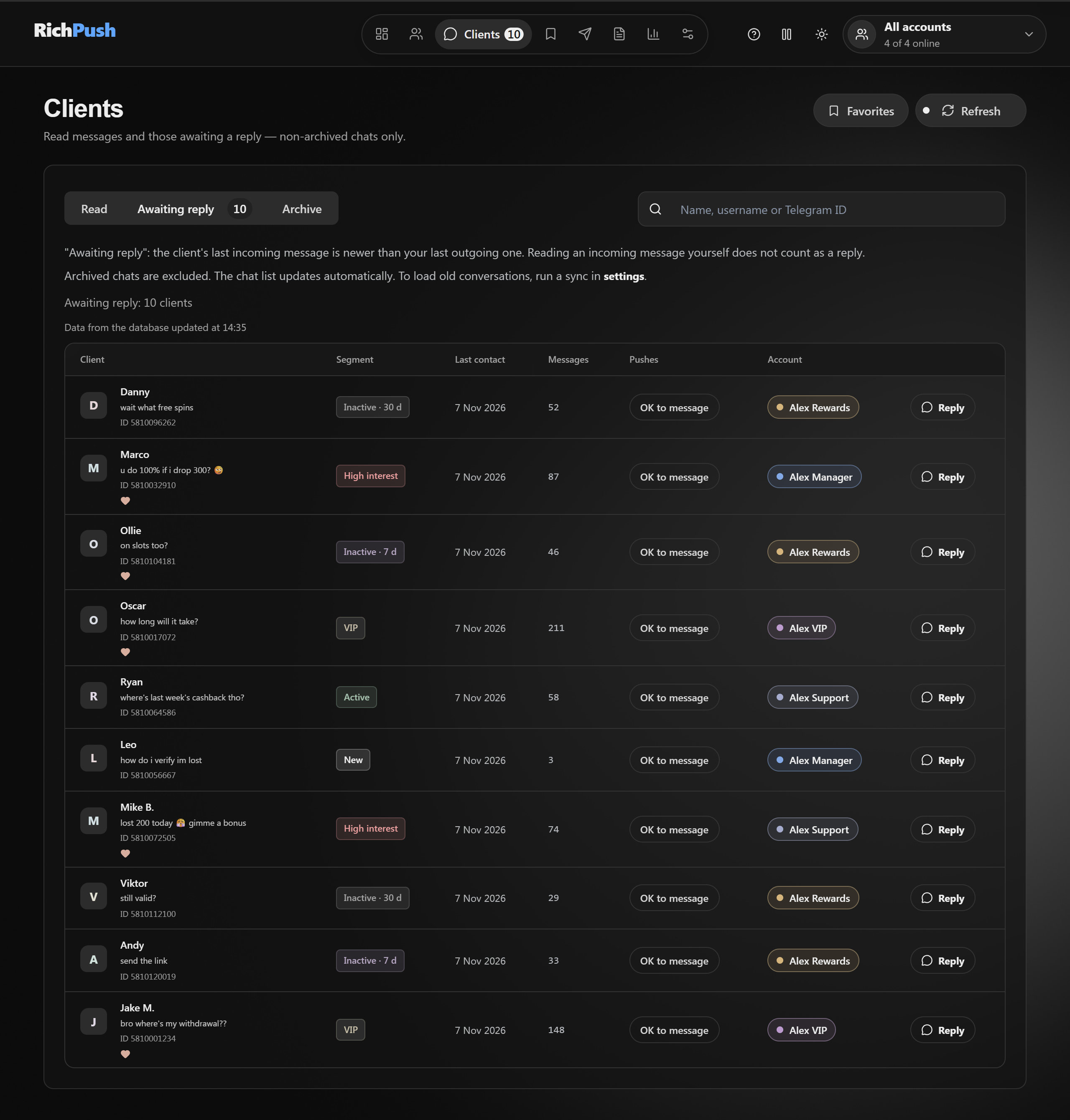
10 players waiting on a reply — across four accounts, in one list. You see who wrote what, and to which account. Hit Reply and the chat opens right there.
Video: RichPush in two minutes
Sound familiar?
Five Telegram windows. You spend the day clicking between them just to see who wrote in.
Templates in a Word doc. Copy, paste, change the name. Repeat all shift.
Pushing the base by hand. Hundreds of players to ping while you're live with others and losing the thread.
Wrong account. The message landed on your third account and you saw it two hours later. The player has cooled off.
Who promised what. A bonus was promised from one account, and the note about it lives only in your head.
Account slowed down. Telegram limited sending and you found out when half the base never got the offer.
RichPush was built by a working VIP manager who got tired of pushing 300 players by hand. It came out of his actual shift, not a pitch deck.
How it works
Reply, find, push. All from one window.
01 · Chats
Reply to players without switching accounts
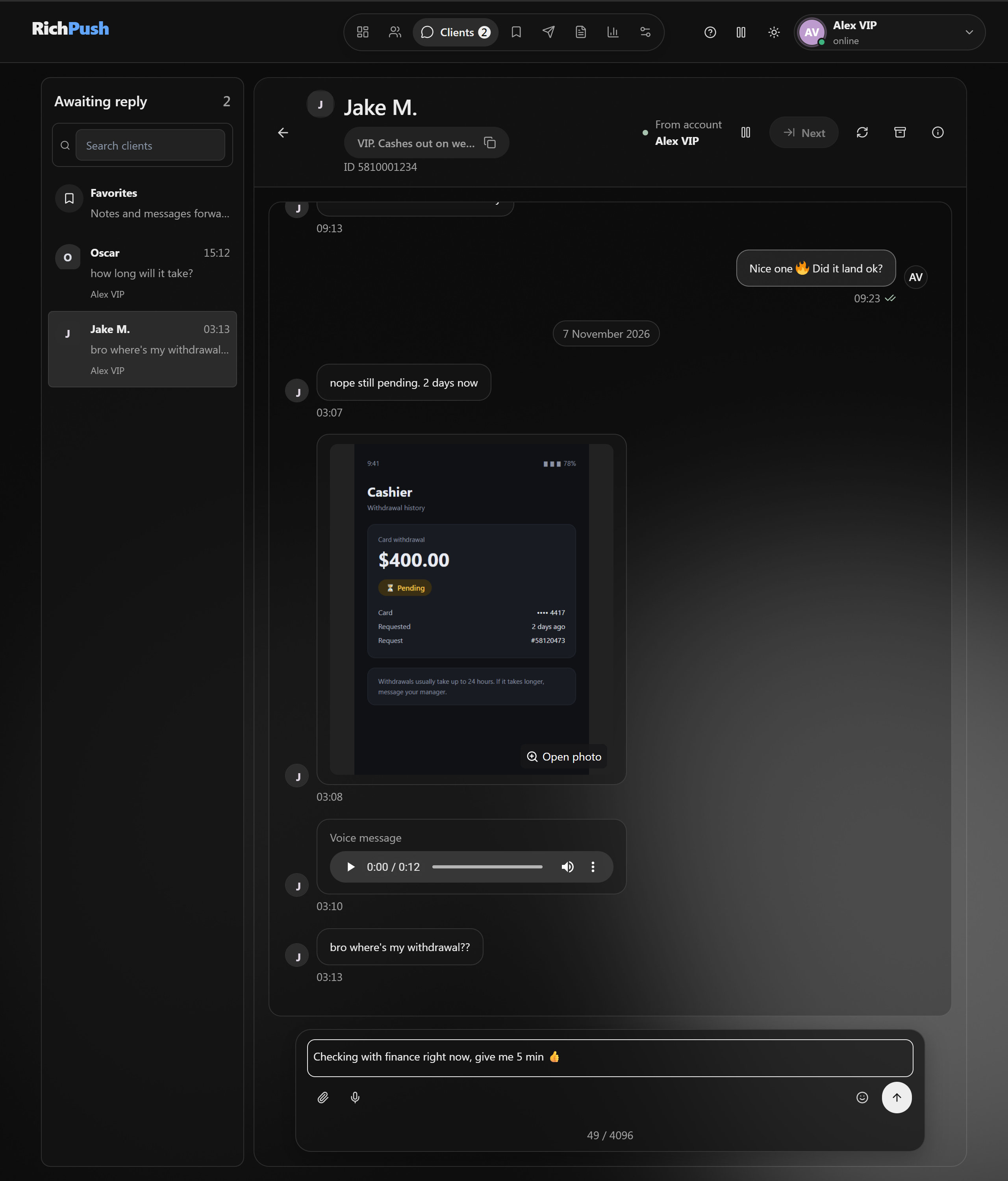
Your full Telegram chats inside RichPush: history, photos, voice notes, videos, video messages, emoji. "Awaiting reply" and "Read" are one table across all accounts, with an Account column. Your note on the player sits next to the chat. Replied from your phone? RichPush picks that up too.
02 · Contacts
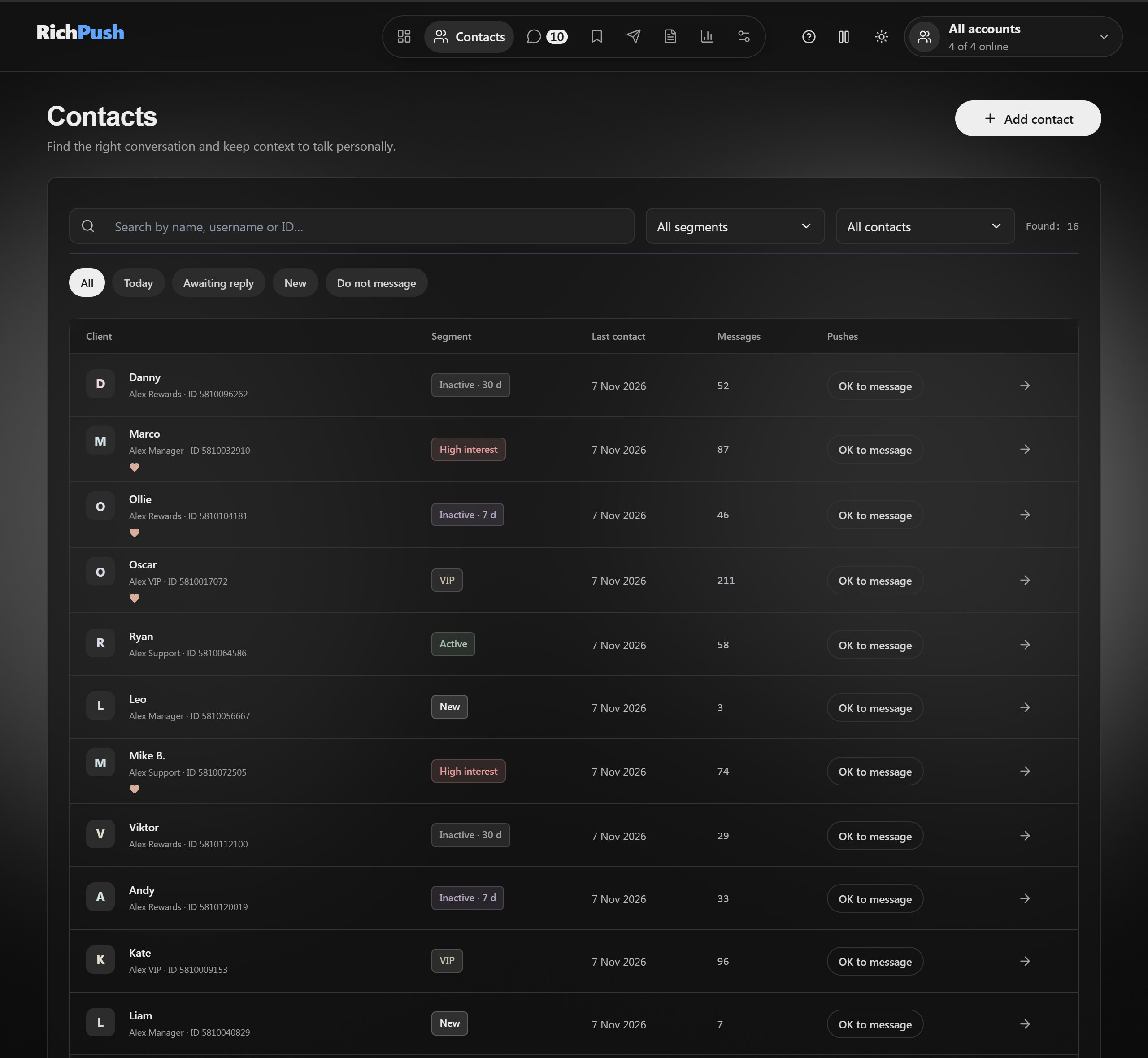
Your whole base in one list
Players from every account in a single table. Each one has a segment: new, active, VIP, high interest, inactive 7 or 30 days. RichPush tags the inactive ones for you. Quick filters: today, awaiting reply, new, do not message.
03 · Templates
Your texts on hand, not in Word
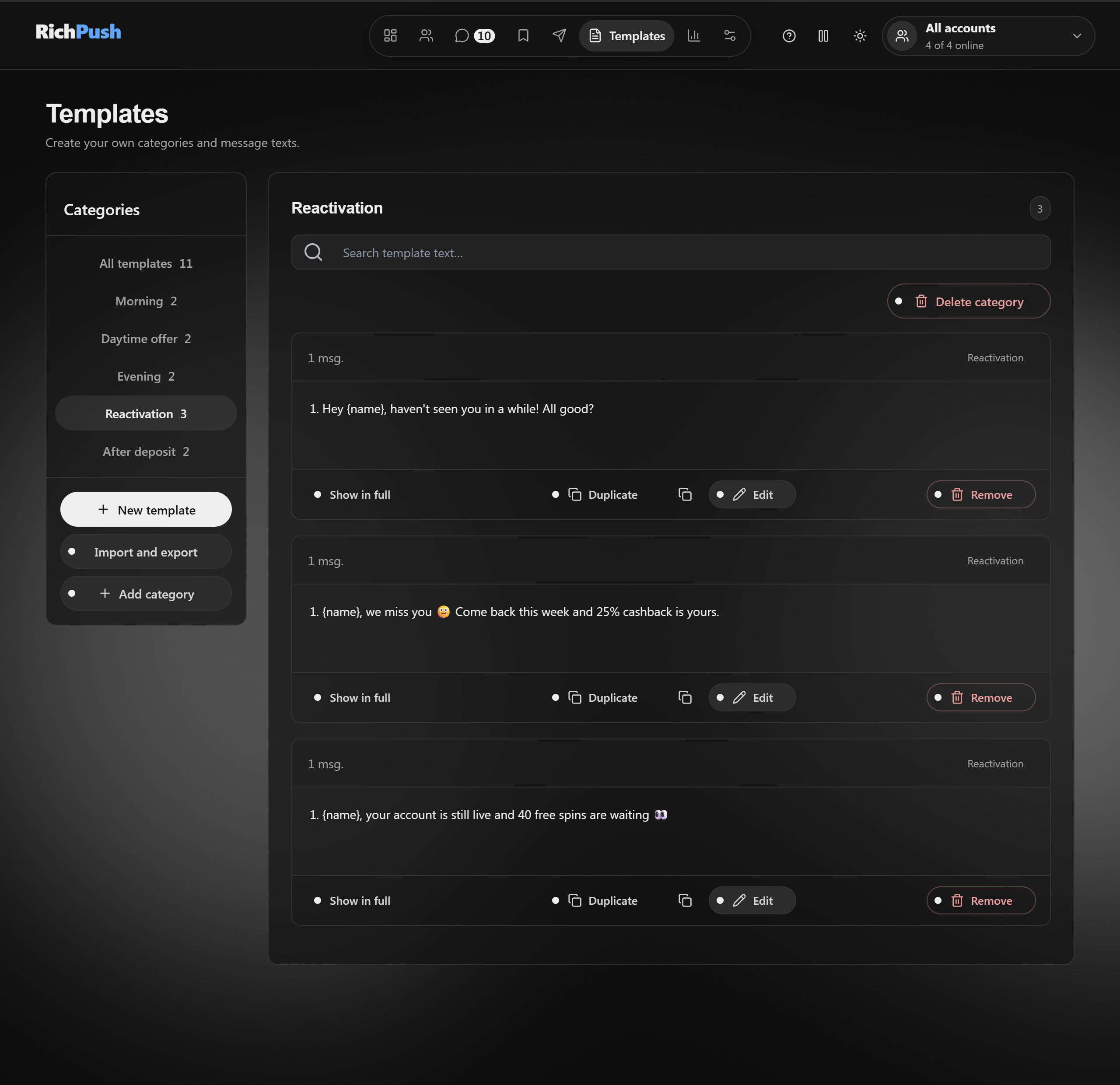
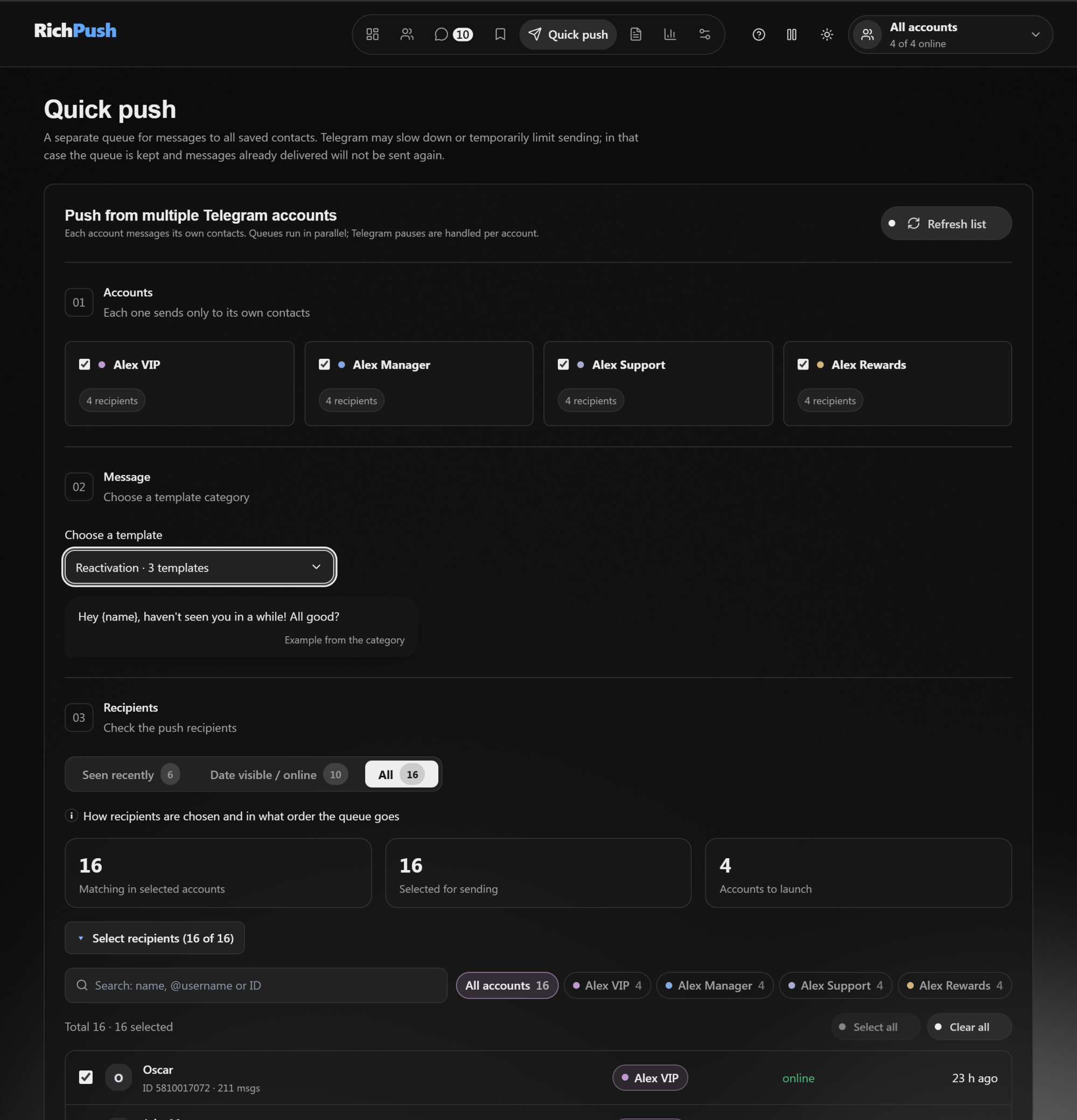
Your own categories for your day: morning, daytime offer, evening, reactivation, after deposit. Type {name} and RichPush fills in the player's name. Photos go right into the template. Export and import templates as a file.
04 · Quick push
Push the whole base in a couple of clicks
Pick a category and hit Send. Up to 50 accounts, each messaging its own players one by one in a queue, not all at once, with a random 5–15 second pause (adjustable in Settings). No repeats; "do not message" is skipped. Find recipients by name or @username and filter them by account.
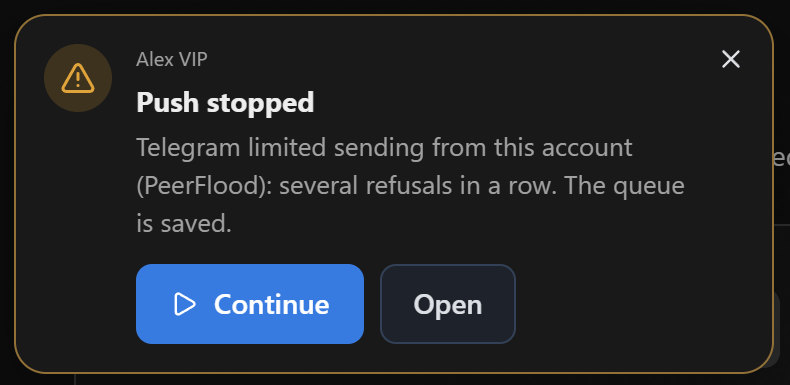
If Telegram limits an account, its queue pauses: a card pops up top left with its own sound and a Continue button.
05 · Statistics
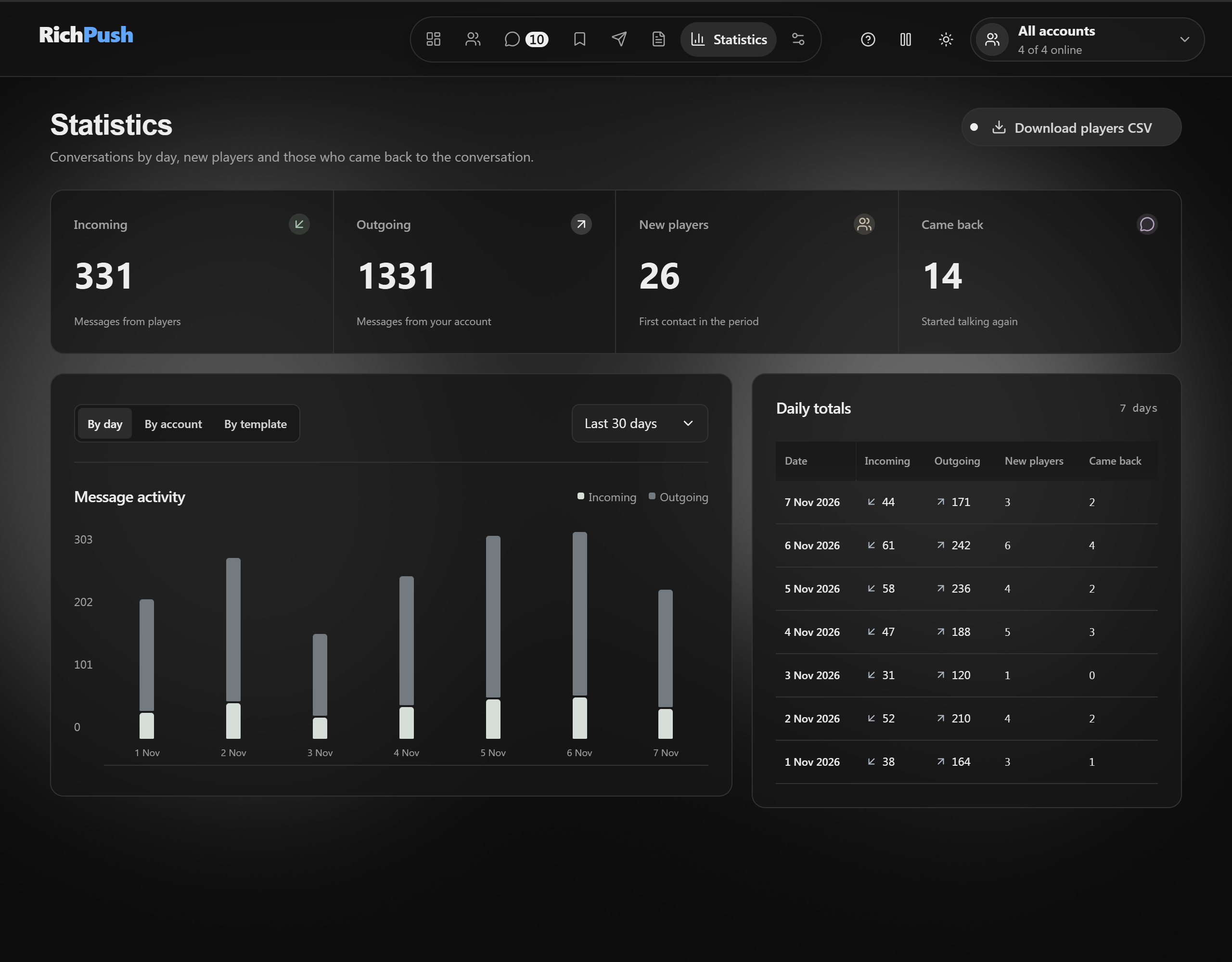
See how the day went
Incoming and outgoing by day, new players and the ones who started talking again. Split by account and by template. Export your player list to CSV.
No phone needed
You don't need to open regular Telegram at all.
Everything you used to grab your phone for is now in RichPush. Feel free to leave your phone face down.
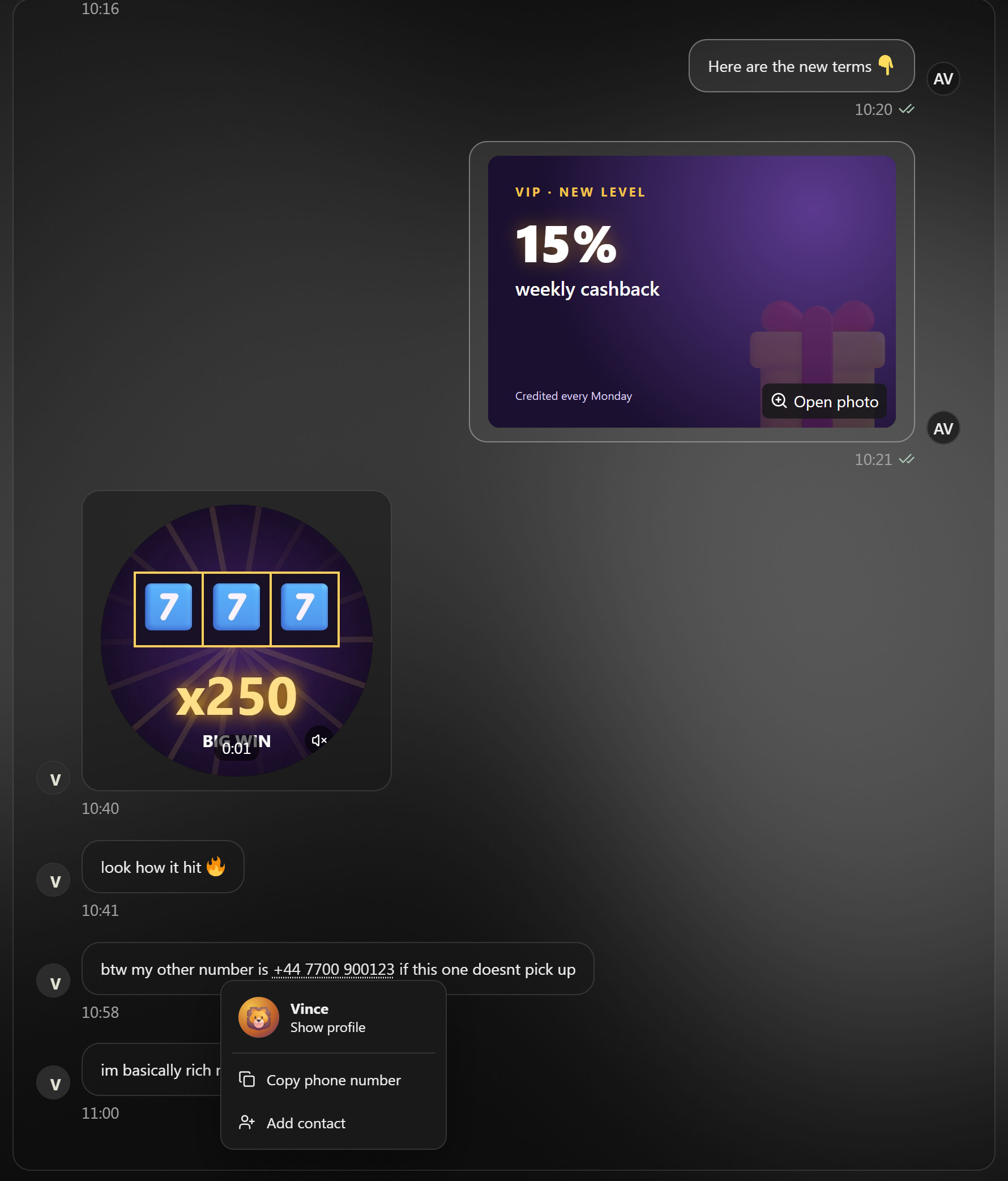
A sent photo, a player's video message and a click on a number — the profile, right away.
Photos with Ctrl+V. Paste a bonus screenshot from the clipboard, drag it in from a folder or pick it with the paperclip. Photos work in push templates too.
Video messages are round. They loop silently; click for sound. Just like Telegram, minus the Telegram.
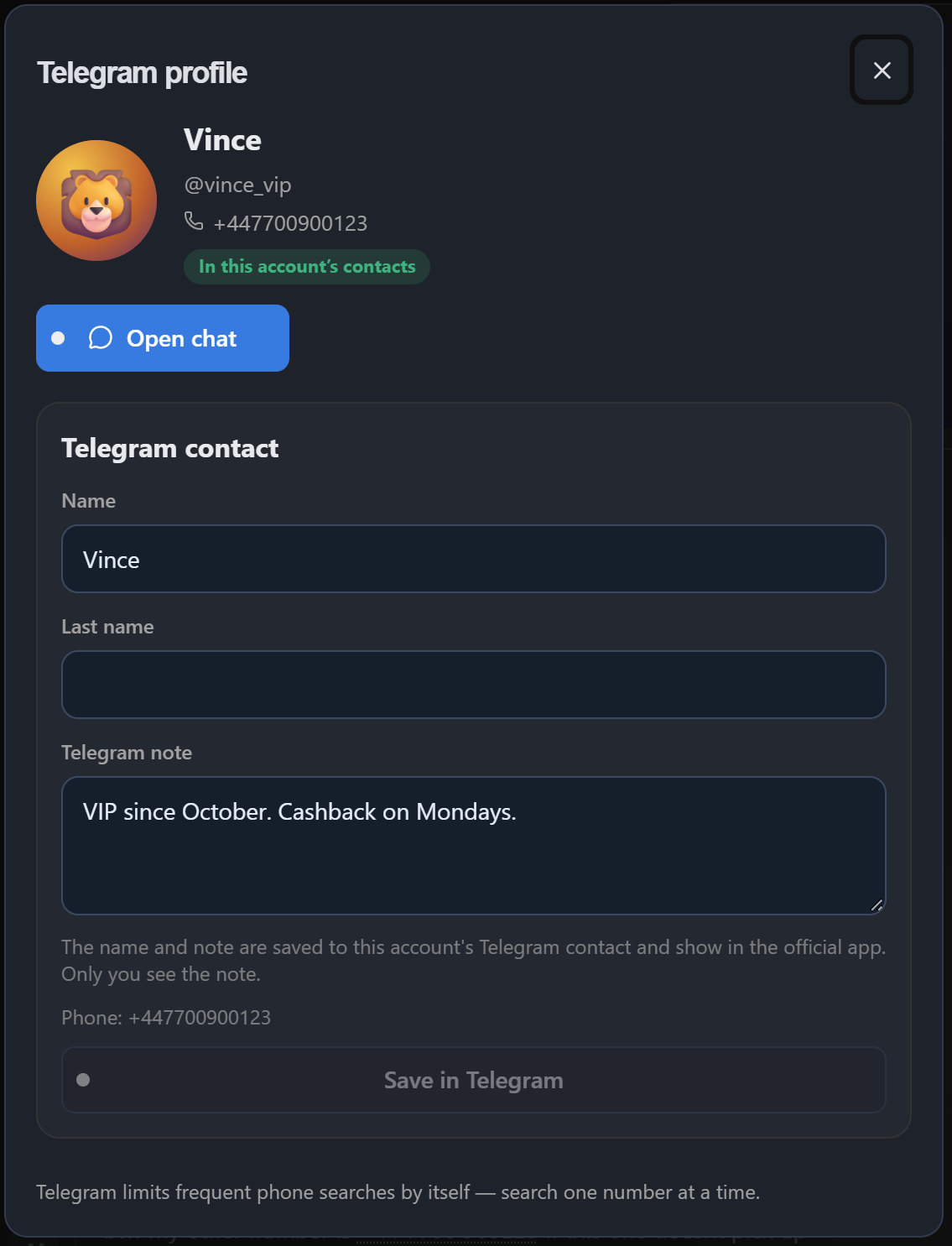
Phone numbers work like in Telegram. Click and the profile with a picture opens right away. Then "Add to contacts" or "Edit contact": name and the native Telegram note, visible on your phone too. And "Open chat".
Add a contact by number — no phone needed either. One at a time: Telegram slows down frequent searches by itself.
Archive. The same as in Telegram, plus an Archive tab in Clients. Archived chats stay out of push and Awaiting reply.
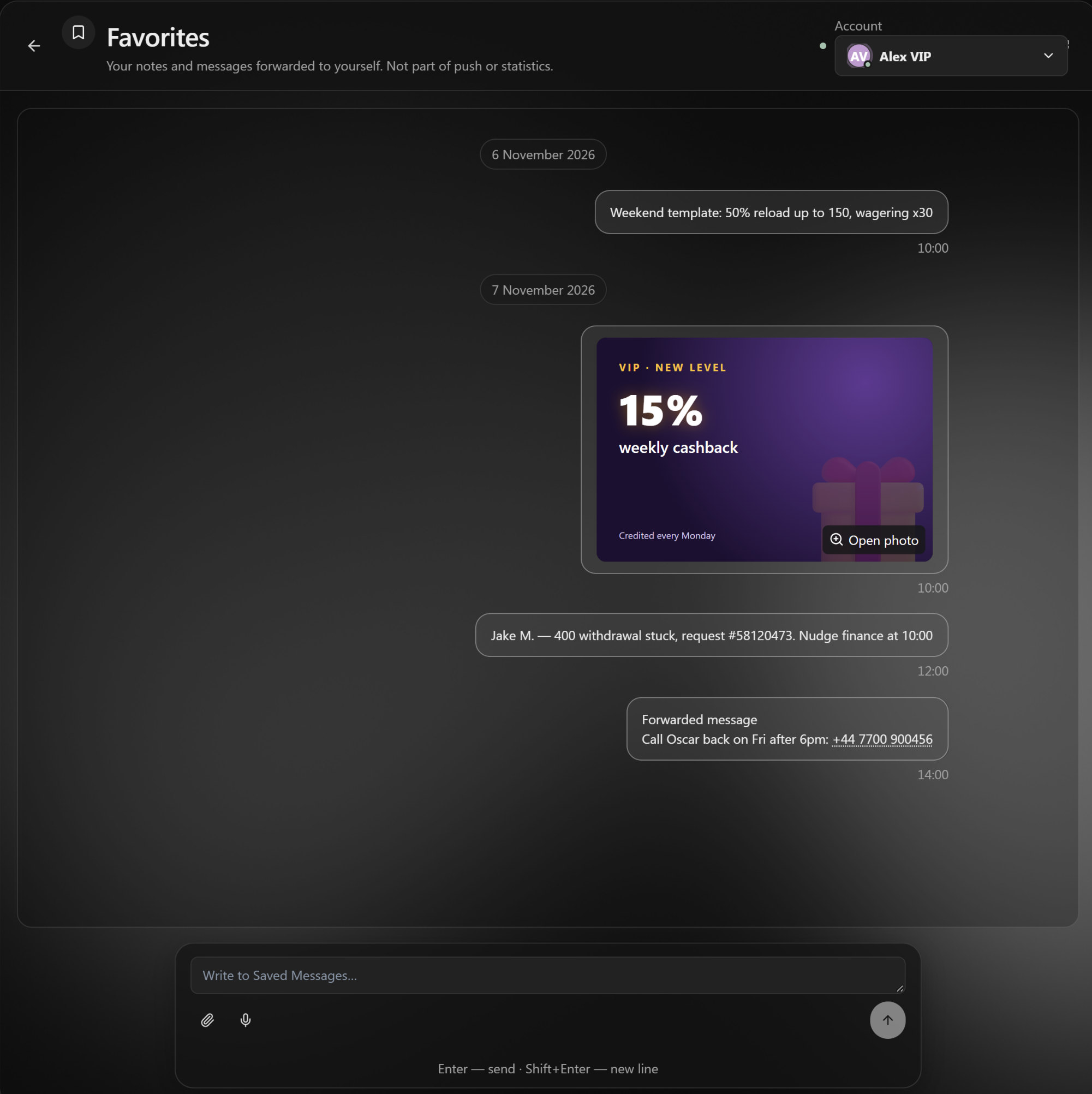
Favorites — one click from the top menu. Your notes and messages to yourself, never part of push or stats.
Profile by number: contact and Telegram note.Favorites: a weekend template, a banner and a reminder about a stuck withdrawal.
For team leads · Team plan
See who's drowning in "Awaiting reply".
A web panel for the team. No chat texts — nobody has to explain every "bro" to the boss.
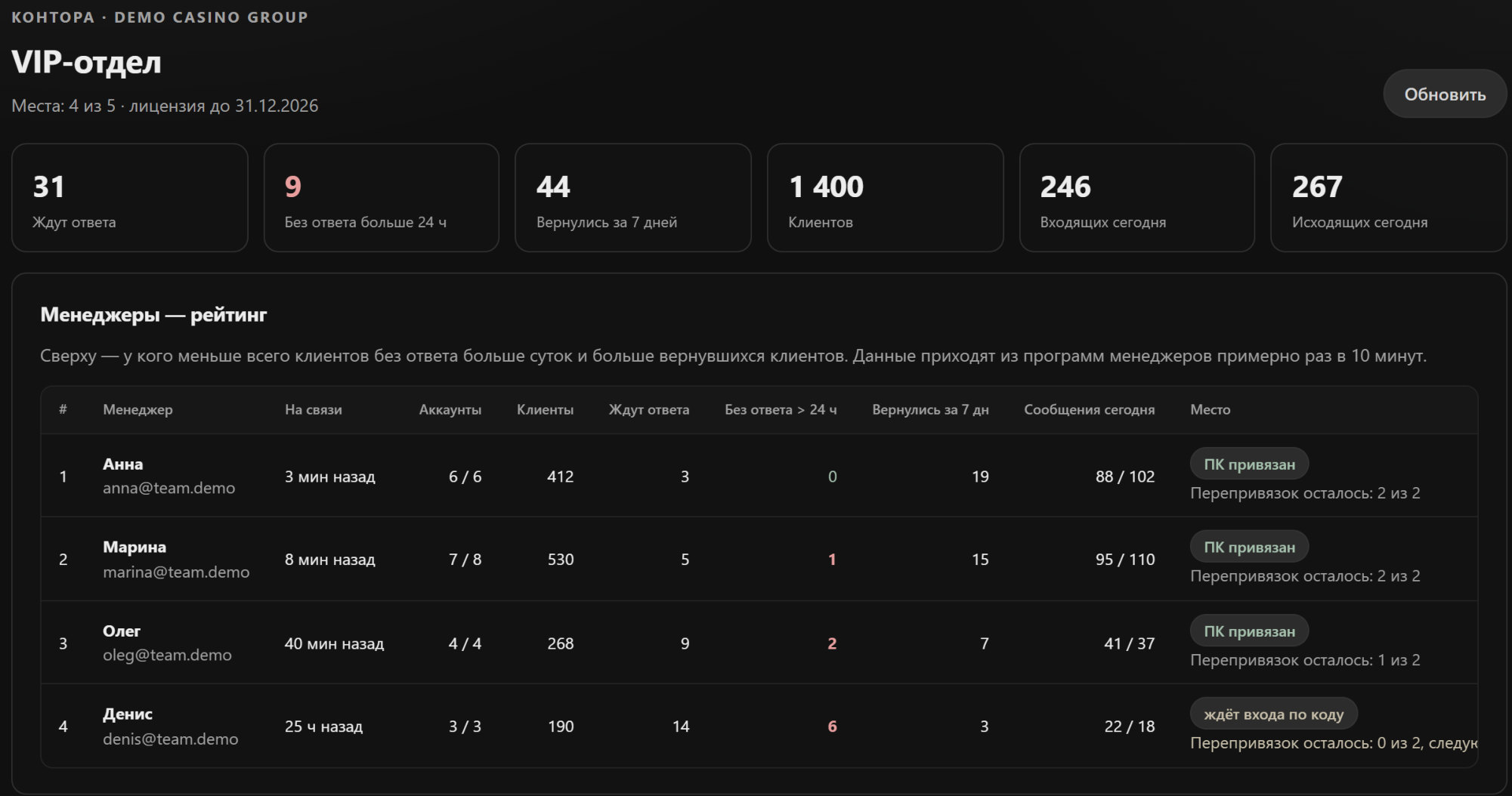
Manager ranking: how many are awaiting a reply, how many unanswered for over a day, how many clients came back.
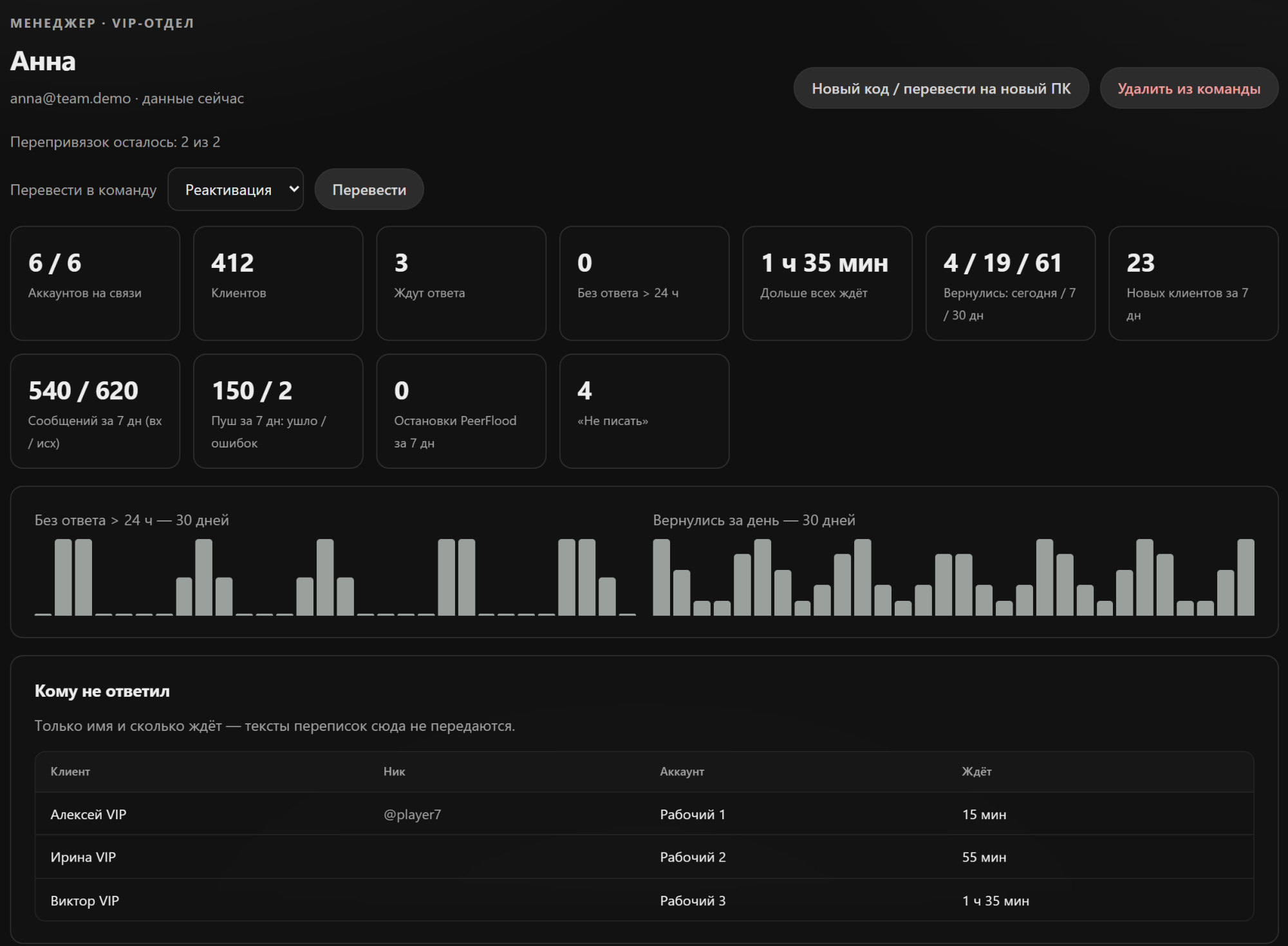
"Who didn't get a reply": the player's name or @username and how long they've waited.
Most active leads over 30 days.
Add and remove managers by email, the seat frees up.
Several teams in one company, compared side by side.
Team ranking, demo data. The panel interface is in Russian for now.
Manager card: the week's numbers, who's waiting for a reply, most active leads.
Your accounts and chats
Sign in like Telegram Desktop. Each account connects by scanning a QR code with your phone. The app never asks for SMS codes. If the account has a cloud password, you enter it once at sign-in and it goes only to Telegram.
Everything stays on your computer. Chats, contacts and the account sign-ins are stored on your PC. Our server only checks the app key, and on the Team plan it gets the numbers for the team lead panel — no chat texts.
Disconnect any time. RichPush shows up in Telegram under Devices like any other connected device. End the session and access is gone.
Up to 50 accounts per manager. One price.
up to 50work Telegram accounts per manager
$39a month per manager, however many accounts they run
$0extra per account
Connect as many work accounts as your shift needs — up to 50 per manager. The price stays the same.
Pricing and pilot
What it costs and how to try it.
Manager$39per seat per month
The whole app: up to 50 accounts, chats, templates, push, stats.
Team$49per seat per month, from 3 seats
Same + the team lead panel: ranking, who's waiting, who came back.
$39 and $49 are early-customer prices, locked for 3 months from your first payment. Several teams in one company? Message us and we'll work it out.
Free pilot3 days, 1 manager, the whole app. After a short demo call.
Need longer — $39A month of work. Changed your mind in the first 7 days? We refund you.
Team pilot — $497 days, 3–5 seats + the team lead panel. Counts toward your first month.
1. Demo — 15 minutes. A screen-share call: the manager app and, if you need it, the team lead panel.
2. Setup — together. We install RichPush on Windows, connect 2–3 accounts by QR and bring over your templates. Usually about half an hour.
3. Three days of work. The manager works as usual, with your players. On day three we call and decide whether to continue.
The manager app is the same on every plan. If you don't continue after the pilot, the app stays in view-and-export mode: your data doesn't go anywhere. Support: weekdays 10:00–19:00 Kyiv time. Payment: Revolut, bank transfer or crypto.
No. You connect your regular Telegram accounts by QR code, just like Telegram Desktop. Players see you exactly as before.
Where are my chats stored?
On your computer. Chats and contacts load from Telegram once you sign in — nothing to move over by hand.
Will pushing get my accounts limited?
Pushes go out in a queue, not all at once, and each account has its own queue. If Telegram slows sending down, the queue is kept and messages already delivered won't go out twice. Nobody can promise Telegram will never limit an account — and we don't.
Is the app in English?
Yes. The interface is in English or Russian — switch it in Settings. Messages and templates go out in whatever language you write them.
Can I schedule a push?
No, you start a push when you need it. The "Morning" category is just a set of morning texts.
Is there a dashboard for team leads?
Yes, on the Team plan: a web panel with a manager ranking, who's waiting for a reply and who came back. Chat texts never go there. The panel interface is in Russian for now. Panel demo ↗
What do I need to start?
A Windows 10 or 11 PC and the phone with your Telegram accounts to scan the QR code. On first launch the app asks for an API ID from my.telegram.org — two minutes, we'll help on the call.
Will my old chats load?
Yes. After sign-in RichPush loads your chats and history from Telegram. Messages you write from your phone show up in the app too.
What happens after the pilot?
If you don't continue, the app switches to view-and-export mode: you can read and export, but not send. Your Telegram accounts keep working as usual.
Does it run on Mac?
No, Windows only.
How many Telegram accounts are you running?
Message us — we'll show you RichPush and the team lead panel live and set up a one-week pilot.